







Headless WordPress Explained: Is It Worth It for Your Business?
WordPress powers millions of websites because it’s flexible, easy to manage, and supported by a huge ecosystem of themes and plugins. However, as businesses demand faster websites, mobile apps, and personalized digital experiences, a new approach has become increasingly popular—Headless WordPress.
But is it the right choice for every business?
The short answer is not always.
In this guide, we’ll explain what Headless WordPress is, how it works, its advantages and disadvantages, and help you decide whether it’s worth the investment for your business.
What Is Headless WordPress?
A traditional WordPress website combines two parts:
- Frontend – The part visitors see in their browser.
- Backend – The WordPress dashboard where you create and manage content.
With Headless WordPress, these two parts are separated.
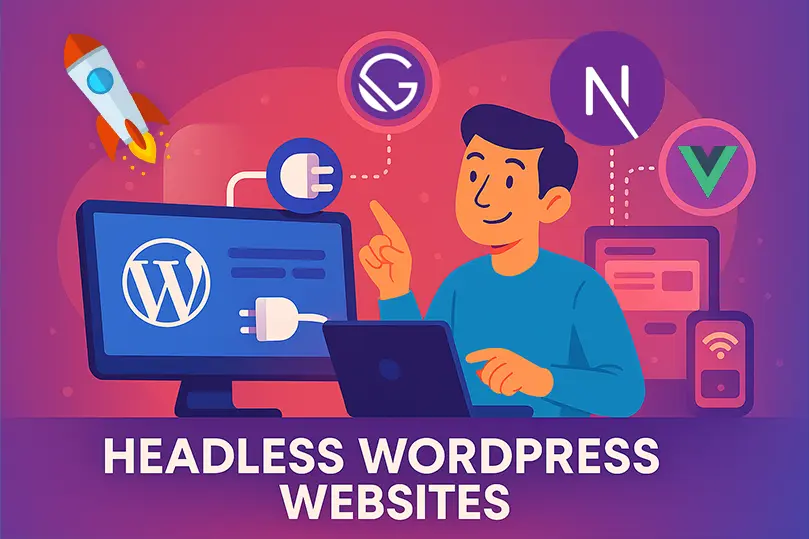
WordPress remains the content management system (CMS), but the website’s frontend is built using modern technologies like React, Next.js, Vue.js, or Angular. Instead of WordPress generating web pages, the frontend retrieves content through the WordPress REST API or GraphQL.
This setup allows developers to build highly customized and high-performance websites while editors continue using the familiar WordPress dashboard.
How Does Headless WordPress Work?
The workflow is straightforward:
- Content creators publish articles, pages, and media in WordPress.
- WordPress stores everything in its database.
- The frontend application requests content through APIs.
- Visitors see content served by the custom frontend instead of a traditional WordPress theme.
This separation gives developers greater flexibility in how the website looks and performs.
Why Are Businesses Choosing Headless WordPress?
Companies are adopting Headless WordPress for several reasons.
Faster Performance
Modern frontend frameworks generate pages quickly, helping improve loading speeds and user experience.
Better Flexibility
Developers are not limited by WordPress themes. They can design completely custom interfaces tailored to business requirements.
Multi-Platform Content Delivery
The same content can be displayed on:
- Websites
- Mobile applications
- Smart TVs
- Digital kiosks
- Customer portals
- IoT devices
Content is created once and delivered everywhere.
Improved Security
Since visitors don’t directly interact with the traditional WordPress frontend, some common attack vectors are reduced. However, the WordPress backend still requires proper security and maintenance.
Easier Scalability
Headless architecture can better support growing businesses that expect higher traffic or need to serve content across multiple digital channels.
Advantages of Headless WordPress
Here are some of the biggest benefits.
Exceptional Website Speed
Modern JavaScript frameworks can deliver pages quickly, reducing loading times and improving the overall browsing experience.
Greater Design Freedom
Designers and developers can create unique layouts without being restricted by WordPress themes.
Better User Experience
Fast navigation, smoother page transitions, and responsive interfaces contribute to a better experience for visitors.
Future-Ready Architecture
As businesses expand to new platforms, Headless WordPress allows content to be reused without rebuilding everything from scratch.
Improved Developer Workflow
Frontend and backend teams can work independently, speeding up development and making collaboration more efficient.
Disadvantages of Headless WordPress
Despite its advantages, Headless WordPress isn’t the perfect solution for everyone.
Higher Development Costs
Building and maintaining a custom frontend requires experienced developers and typically costs more than a traditional WordPress site.
More Complex Maintenance
You’ll need to maintain:
- WordPress backend
- Frontend application
- APIs
- Hosting environments
- Deployment workflows
This adds complexity compared to a standard WordPress installation.
Plugin Compatibility Issues
Many WordPress plugins are designed for traditional themes and may not work seamlessly with a headless setup.
Features such as:
- Page builders
- Shortcodes
- Dynamic widgets
may require custom development.
Learning Curve
Developers often need experience with technologies such as:
- React
- Next.js
- Vue.js
- JavaScript
- APIs
Businesses without technical teams may find this approach challenging.
Who Should Use Headless WordPress?
Headless WordPress is a strong choice for:
- Large enterprises
- SaaS companies
- News and media publishers
- E-commerce businesses with custom storefronts
- Businesses building mobile apps
- Organizations serving content across multiple platforms
- Companies with dedicated development teams
These organizations often benefit from the flexibility and scalability of a headless architecture.
Who Should Avoid Headless WordPress?
A traditional WordPress setup is usually a better option for:
- Small business websites
- Personal blogs
- Portfolio websites
- Local service providers
- Startup websites with limited budgets
- Businesses relying heavily on page builders
If your current website performs well and meets your needs, switching to Headless WordPress may not provide enough value to justify the additional cost and complexity.
Traditional WordPress vs Headless WordPress
| Feature | Traditional WordPress | Headless WordPress |
|---|---|---|
| Easy Setup | ✅ | ❌ |
| Beginner Friendly | ✅ | ❌ |
| Plugin Compatibility | Excellent | Limited |
| Development Cost | Lower | Higher |
| Website Speed | Good | Excellent |
| Custom Design Flexibility | Moderate | Excellent |
| Multi-Platform Content | Limited | Excellent |
| Maintenance | Simple | More Complex |
Is Headless WordPress Good for SEO?
Yes, it can be.
A properly built Headless WordPress website can achieve excellent SEO because of:
- Fast page loading
- Improved Core Web Vitals
- Clean code
- Better mobile performance
- Flexible metadata management
However, SEO must be implemented carefully. Features like server-side rendering, metadata, XML sitemaps, structured data, and canonical URLs should all be configured correctly to ensure search engines can crawl and index your content effectively.
Things to Consider Before Going Headless
Before making the switch, ask yourself:
- Do I have an experienced development team?
- Is my website growing rapidly?
- Will I publish content to multiple platforms?
- Do I need advanced custom functionality?
- Does my budget support long-term maintenance?
If the answer to most of these questions is “yes,” Headless WordPress may be worth considering.
Frequently Asked Questions
Is Headless WordPress faster?
In many cases, yes. A well-built headless frontend can deliver faster loading times and improved performance compared to a traditional setup.
Is Headless WordPress more secure?
It can reduce certain risks by separating the frontend from WordPress, but it doesn’t eliminate the need for regular updates, backups, and strong security practices.
Can I still use WordPress plugins?
Some plugins continue to work because they operate in the backend, while others that depend on the traditional frontend may require custom integration or replacement.
Is Headless WordPress suitable for small businesses?
For most small businesses, a traditional WordPress website is often the more practical and cost-effective choice. Headless WordPress is generally better suited for organizations with more advanced technical requirements.
Final Thoughts
Headless WordPress is a powerful architecture that offers speed, flexibility, and the ability to deliver content across multiple platforms. For businesses with complex digital needs and experienced development teams, it can be an excellent long-term investment.
However, it isn’t the right solution for every website. If your business primarily needs a reliable, easy-to-manage website, traditional WordPress remains an outstanding option.
The best choice depends on your business goals, technical resources, budget, and future growth plans.
